
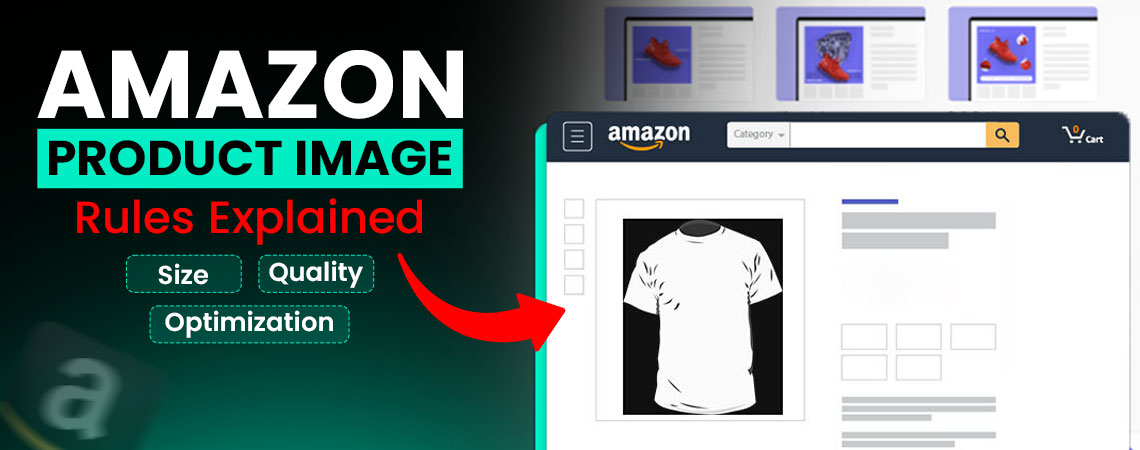
Amazon Product Image Size Requirements
On Amazon, product images are an important factor that influences a customer's buying decision. Since shoppers can not physically touch or test the product, they rely on visuals to understand its size, quality, and features. This makes your main image and secondary images the foundation of your Amazon listing. Amazon enforces strict product image requirements to maintain consistency and ensure buyers have a professional and trustworthy shopping experience. These standards affect sales performance. By uploading visuals that meet the correct Amazon photo dimensions and quality, sellers can:
- Give an enhanced image viewing experience, which activates when images are at least 1000 pixels on the longest side.
- Increase CTR by attracting more attention in crowded search results.
- Reduce returns and negative reviews by delivering on expectations.
- Build brand credibility through clear, professional, and high-quality product images.
Failing to meet Amazon product image size requirements can cause rejections, suppressed listings, or blurry displays on mobile devices, which lead to lost traffic and sales.
 Amazon's Standard Image Requirements
Amazon has a set of rules for product images so that all listings meet the same level of professionalism and customer trust. The setting of the images should be like:
- Minimum size is 1000 pixels on the longest side.
- Maximum size, 10,000 pixels on the longest side.
- A square image is the ideal ratio, with a 1:1 aspect ratio.
- For file type, JPEG is the most common, but TIFF and PNG are accepted too.
- The image quality should be sharp, clear, and true with no blurriness and distracting filters.
Amazon's enhanced image viewing experience (hover-to-zoom) lets shoppers examine products in detail, which helps them feel confident about their purchase. Listings that qualify for this feature see higher engagement and conversions. To activate it, product images must meet Amazon's minimum dimension requirement of 1000 pixels on the longest side. Keeping images aligned with these standards ensures better visibility, credibility, and sales performance.
Why Dimensions are Important
On Amazon, product images give shoppers a sense of detail and trust. Clear dimensions make it easier for customers to understand what they are buying. When the size and ratio are correct, images look professional, and activate the enhanced image view (zoom feature). For example, if the longest side of your image is less than 1000 pixels, customers can't zoom in, which reduces conversion rates, and the images that are too large, over 10,000 pixels, will be rejected by the platform.
For this reason, many sellers struggle; they see the word dimensions but don't know how to interpret them. That's why learning how to read product dimensions Amazon uses, like height x width pixels, makes it easier to upload images with the correct sizes. Knowing about these numbers helps you avoid mistakes like uploading stretched and cropped images.
Optimizing Images for Maximum Customer Impact
Following Amazon's rules is important to stand out in a crowded market. Here are a few steps through which you can elevate your product images:
- Use multiple angles, show the front, back, and side views.
- Include lifestyle shots by demonstrating how the product is used in real life.
- Highlight features, sizes, and benefits in a graphic layover.
- Place the product next to an object so buyers know its size.
- Use the same style across your product catalog to build brand identity.
Implementing these strategies enhances the shopping experience and upgrade your Amazon main product image CTR, which makes your listing competitive in crowded search results. All of this becomes easier once you understand Amazon product image dimensions and how they affect performance on the platform.
Image Optimization for FBA Sellers
Sellers using the FBA (Fulfillment by Amazon) model, for them, Amazon handles packaging and shipping, so images are the first impression a customer has of the product.
Optimized FBA images should:
- Built trust by uploading high-quality images, which reduces uncertainty and prevents customer disappointment, which lowers return rates.
- Compliant images boost visibility and increase organic ranking and visibility in competitive categories.
- Professional images make your listing stand out, which helps when competing for the BuyBox.
When preparing for FBA images, make sure they meet Amazon's rules, along with highlighting features like scale and lifestyle use. Many sellers overlook how to read product dimensions Amazon expects, which results in improper sizing and loss of zoom functionality.
Other Visual Factors That Matter
Your product images are the foundation of your Amazon listing. Amazon gives sellers some additional features to create a richer shopping experience for their customers. By applying those, you can set yourself apart from competitors. Your main image gets shoppers to click, but the other factors, like A+ Content, listings, bullet points, and description, convince them to buy. To get organic visibility and higher conversions, sellers use an Amazon Account management agency to optimize images, listings, and overall visibility, ensuring the product ranks well and attracts the right buyers.
If you have done a brand register, you can upgrade your listings with A+ Content. This improves conversions and builds brand credibility by making your listings look professional. This feature allows you to add:
- Extra product images arranged in banners and modules.
- Comparison charts to show how products stand out from similar ones.
- Lifestyle visuals and branded graphics that go beyond the basic image gallery.
Many of Amazon's shoppers buy from mobile devices, which means your images and A+ Content need to be readable on small screens. Avoid heavy text graphics and focus on clear and bold visuals that make sense when viewed on a phone.
How to Upload Product Images on Amazon in the Right Sequence
Many new sellers face confusion while deciding which image should be the main image and which ones belong as secondary images. Amazon has clear expectations for this, and getting it right is crucial for compliance and customer trust.
The main image is your storefront. The main image should meet Amazon product image size requirements to make it zoomable. It's what customers see first in search results, and it influences whether they should click on your listing.
- Must show the product clearly on a pure white background; you can use RGB 255.
- The product should fill at least 85% of the frame.
- No text, logos, watermarks, or props allowed.
- Use the right size, as the goal is to make the product recognizable, professional, and zoomable.
Amazon allows sellers to upload up to 9 images per listing (1 main + 8 additional). Uploading pictures in every slot is not mandatory, but use as many as possible to showcase your product from every angle.
The sequence you can follow for secondary images:
- Back or Side View: Show the product's shape and details that are not visible in the main picture.
- Close-up Shots: Highlight texture, buttons, material, or unique features.
- Lifestyle Images: Demonstrate the product being used in real real-life situation (e.g, a coffee mug being held, a chair placed in a living room).
- Infographics: Add callouts or text to explain key features, dimensions, and benefits.
- Size Comparison Image: Show the product next to a common object (like a hand, coin, or book) for size.
- Packaging Image: This is useful for FBA sellers to display how the item arrives.
- Benefits shot: Reinforce product value with a creative or practical image.
Where to Add Videos and A+ Content on Amazon
By organizing product images according to the above sequence and complementing them with a video and A+ content, you give customers a visual journey from recognizing the product, to understanding the features, to imagining it in their daily lives.
Product Videos | A+ Content |
|---|---|
Amazon allows you to add a video to the same gallery. This appears after the 9th image slot. A short product demonstration, unboxing, or lifestyle video can boost engagement and conversions. | This appears further down the listing, under the product description. It's a separate section where you can add banners, extra images of products, lifestyle shots, and comparison charts to give customers a richer shopping experience. |
Client Experience With SpectrumBPO
When Jane, a beauty & personal care brand owner, approached us, she wasn't able to make sales. Her product quality was excellent, but sales were stuck, and she couldn't figure out why. After reviewing her Amazon listing, we came to know that her images weren't working.
- Her main image wasn't compliant with Amazon's rules; it included props and didn't have a clean white background.
- She uploaded three images, from which many secondary slots were empty. Customers werent able to sense the size, features, and use of the product in real life.
- Her images didn't meet Amazon product image size requirements, and there was no zoom feature, and poor visibility on mobile devices.
- She had no A+ Content or videos to support the listing, which made the product look less professional compared to competitors.
Jane came to us for Amazon graphic designing services, and we started on fixing the issues. Our team:
- Redesigned and resized her product pictures to meet Amazon FBA images requirements.
- Selected a strong and compliant main image that was zoomable and sharp.
- Built a full sequence of secondary images, including close-ups, lifestyle shots, size comparisons, and packaging views.
- Designed infographics by highlighting key features that were easy to read.
- Added A+ Content with branded visuals and comparison charts to strengthen her listings.
- Her click-through rate improved by 35% as the new main image stood out in search results.
- More secondary images kept customers engaged and gave them confidence in the product.
- The sales climbed by 55% within the first month.
- Returns dropped by 20% because buyers had a clearer idea of the product before ordering.
- Organic visibility was improved by 30% helping her compete more effectively in the crowded beauty & personal care category.
Optimize Your Amazon Images and Sales with SpectrumBPO
Amazon's standard image requirements are important to follow. From using the right photo dimensions to maintaining sharp quality, a square ratio, and consistency, every detail creates a professional shopping experience. When your images activate the enhanced image view, they build trust and give your products the competitive edge. By aligning with these standards, sellers can boost visibility, reduce returns, and increase conversions. For brands that want to take things further, working with a full ecommerce service can ensure every part of the listing, from images to content, is optimized for measurable results.
FAQs
If your image is smaller than 1000 pixels on the longest side, Amazon will accept it, but customers won't be able to use the zoom feature. This reduces the chances of sales because shoppers can't inspect the details of your product.
No. Amazon requires the main image to show the product clearly on a white background. Lifestyle images and infographics are allowed as additional images, but not as primary.
The ideal size is around 2000 × 2000 pixels. This ensures your images are sharp, zoomable, and compatible across all devices.
Amazon allows up to 9 images per listing (1 main + 8 additional). It's best to use as many as possible, showing multiple angles, lifestyle shots, and key features.
Not different, but FBA images should be strong since FBA listings compete in crowded categories. High-quality, informative images can help you win the Buy Box and reduce return rates.
On your computer, right-click the image file, select "Properties," and go to the "Details" tab. There you'll see the pixel dimensions (width × height). This is how you can quickly confirm whether your image meets Amazon's size rules.
Share this Post




Blog Categories
Uncategorized
