

Amazon Business vs Seller Account
Is Amazon business account and seller account same? It's an important question for sellers looking to start their journeys on Amazon's platform. Both accounts operate under the Amazon umbrella but have different roles: one is designed for businesses looking to purchase products efficiently, the other is designed for those aiming to sell to millions of customers on the platform. Knowing which account fits your needs can streamline your operations, reduce costs, and help you take advantage of Amazon's powerful features. Many sellers start with a basic seller account, but as they grow and understand the Amazon business account benefits, they shift to an Amazon Business account to get access to bulk pricing, tax exemption, multi-user permissions, and spend analytics. These factors are available through a one-time setup that supports efficient purchasing designed for business needs.
 Business Account on Amazon
Amazon Business is designed to help organizations, whether you're a new seller or an established one, it allows them to streamline their purchasing and spending management. It's not only about shopping on Amazon; it's about buying for your business, in a way that makes it easy for your workflow and budget. With Amazon Business, you get access to a range of features designed for business needs, which are:
- This helps in simplified procurement needs, by which it is easy to find and order what your business needs, from office to home supplies, all in one place.
- It gives you spending control by setting purchase limits, track orders, and manage approvals to stay on budget.
- Pricing and discounts deals are given to get exclusive deals and lower prices on thousands of items not available to regular customers. Businesses can also benefit from bulk discounts on high-volume purchases. The Amazon Logistics Services supports fast and reliable delivery, helping businesses receive their orders on time and maintain smooth operations.
- Give access to multiple people to let your team place orders while you keep visibility and control over spending.
- Fit in with your existing procurement systems for smooth operation.
Types of Amazon Business Account
When you're starting as a seller on Amazon, it's important to understand the different types of seller accounts. Choosing the right one can impact your fees, features, and ability to scale.
- Primary Business Account
- Business Prime Membership.
Amazon's Primary Business Account
When a company signs up for Amazon Business, the first step is creating a Primary Business Account. This account is the main control room, the central hub, which is used for all purchasing activities on Amazon for your business. It holds all key settings, user access controls, payment preferences, and business information.
This account enables businesses to streamline purchasing by bringing team members into one space, with controlled permissions and oversight. It’s valuable for small to large organizations looking to manage procurement more efficiently while taking advantage of exclusive business pricing, tax exemption options, Mayfair Logistics, and purchasing analytics.
Account Administrator: These are for the users who manage and control the business account. This includes procurement leads, finance, or business owners themselves. Administrators ensure that purchases made under the business account align with company policies. For example, they might require employees to get approval before making orders for a certain amount. Admins also monitor team spending and can pull reports to analyze where the company’s budget is going.
- Add or remove users and assign roles.
- Manage and set preferred payment methods (e.g., shared credit cards).
- Set up for approvals, like who can buy what and when.
- Access spend data and analytics to track usage, trends, and budget.
- Place orders within set limits.
- View approved catalogs or suppliers.
- Request order approvals if needed.
- Operate within spending limits and user permissions set by the admins.
Business Prime Membership for Amazon Sellers
Amazon Business is it worth it for the time savings, cost control, and exclusive features it offers? From bulk pricing and tax exemption to multi user access and integration with procurement systems, the platform is designed to simplify business buying. Whether you're a new seller or an established seller, the added visibility, efficiency, and business access that only deals with Amazon Business is a smart move for many organizations.
| Type | Advantages | Users | Price |
|---|---|---|---|
| Duo | Used by freelancers, sole proprietors, or small businesses. The duo plan is designed for individuals who want access to business-only perks without needing to manage a team. It provides all the core Business Prime benefits for one person. | 1 user | Free |
| Essentials | Ideal for small businesses with a few team members. It allows you to add up to five users and manage their purchasing access, which is helpful for companies with small teams or departments that share procurement roles. | Up to 5 users | $179/yearly |
| Small | Built for growing businesses, this gives access to more users and offers advanced purchasing controls. It fits well for companies scaling their operations and needing more structured workflows. | Up to 20 users | $499/yearly |
| Medium | Designed for mid-sized businesses with more than one department or branch. This plan gives access to spend analytics and more control over purchasing across different teams. | Up to 200 users | $1299/yearly |
| Enterprise | This is for large-scale organizations that require strong features, security, and full customization. It supports unlimited users, company-wide addition, and enterprise-level analytics | Unlimited Users | $10,099/yearly |
- Tax Exemption
If your business is eligible, you can apply for Amazon's tax exemption program (ATEP), and it will remove sales tax from eligible purchases. - Payment Options
Choose from a range of payment methods, including shared corporate cards, Pay by Invoice, or Amazon's corporate credit. - Free Business Delivery
Gives fast and reliable delivery, with options like joint shipping to reduce packaging waste and streamline warehouse receiving. - Buying
Set up policies to refer employees toward preferred products or suppliers, and restrict categories that don't align with company standards or compliance rules. - Customer Survey
With the Business Prime plan, sellers can have access to customer feedback that allows them to get insights and trends from their customer base. - Rewards
Earn rewards and cashback on eligible purchases made through your Business Prime account, increasing savings for your company.
Amazon Seller Account
An Amazon Seller Account allows sellers to list and sell products on Amazon's marketplace through Seller Central, which is the source for listings, handling orders, payments, and account performance. The owner has all control, and user permissions can be assigned to team members for tasks like product listings or order fulfillment. When choosing an Amazon seller business type, it's important to assess your long term goals. Sellers can apply for Amazon Brand Gating to protect their branded products by limiting who can list, which helps maintain control over pricing, authenticity, and customer trust.
There are two types of seller accounts on Amazon:
- Individual Seller Account.
- Professional Seller Account.
Individual Seller Account:
The Individual Selling Plan is designed for casual sellers, hobbyists, or small businesses who plan to sell fewer than 40 items per month. It offers a simple, low commitment entry into Amazon's marketplace without the hassle of monthly subscription fees. This plan is ideal for a new seller starting or testing their products before scaling.
- Individuals selling handmade or second-hand items.
- Part time or seasonal sellers.
- For new sellers or small businesses that are not ready for volume based selling.
- It allows you to sell without needing to register as a business or manage complex operations.
There are no listing fees, so sellers only pay when an item sells, making this a cost-effective option for low-volume and new sellers.
- $0.99 per item sold, regardless of the product's price.
- Referral fees: A percentage of each sale (6% to 45%, depending on the product category), which is the same across all seller plans.
Sellers with this plan can't get access to these elements:
- Limited Access to Seller Tools: You don't get access to advanced features like bulk listing tools, advertising (Amazon Sponsored Products), analytics, and reporting.
- Restricted Category Access: You cannot apply to sell in gated or restricted categories, such as fine jewelry, collectibles, or high-end electronics; these are reserved for Professional sellers.
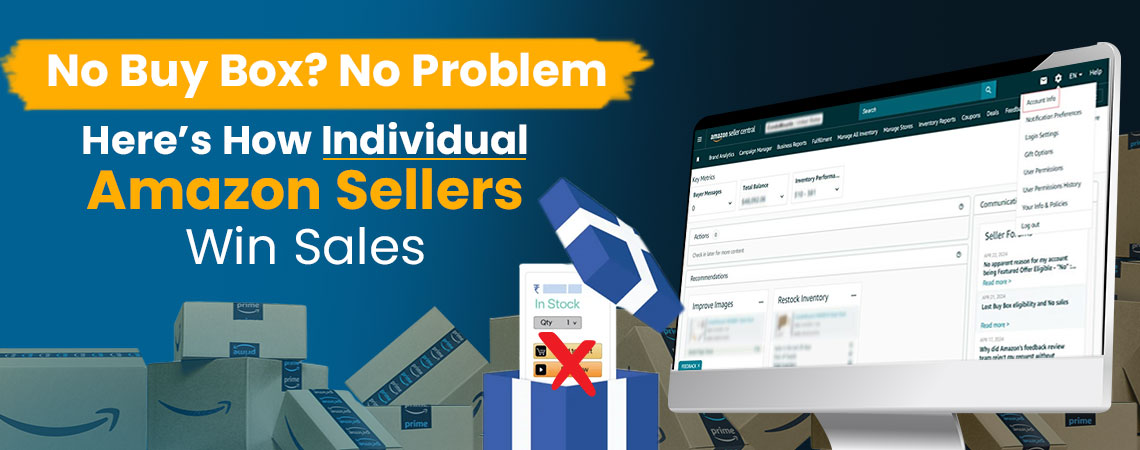
- Buy Box: You are not eligible to win the Buy Box, which is the default "Add to Cart" button many customers use, unless you're using Fulfillment by Amazon (FBA), which may offer some exceptions.
How Sellers with Individual Plans Make Sales?
As sellers who use the Individual Plan don't get the Buy Box opportunity, they wonder how they can make sales then. Here's how it can be done:
Without the Buy Box, your listing still appears under the "Other Sellers on Amazon" section on the product detail page. Customers who are price conscious or comparison buyers check this section and choose you if your price, shipping speed, or rating is better than other sellers. Buyers who scroll down will see alternative sellers, including:
- Item condition (New, Used, etc.).
- Price (including shipping).
- Estimated delivery.
- Seller rating.
If you're selling a unique product that's not listed by other sellers, your item will have its own product detail page, and in that case, you appear by default in the Buy Box with an Individual plan. This works for sellers who offer products like:
- Handmade, vintage, or one-of-a-kind items.
- Private-label or custom-made products.
If you use FBA, Amazon handles shipping and customer service. This improves your chances of making sales and can make you eligible for the Buy Box. Many new sellers choose to get Amazon FBA beginner plan services to help set up their logistics, understand packaging requirements, and streamline their first shipments. FBA gives you:
- Prime badge visibility.
- Faster delivery.
- Higher trust from buyers.
Sellers also use an Amazon Associates account to generate traffic by promoting their products, making it an option for those not looking to sell directly or set up a full storefront.
- Social media.
- Blogs or YouTube.
- Email marketing.
If you give a good experience with accurate listings, fast shipping, good communication, positive seller feedback, and product reviews will help build trust and attract more buyers.
Professional Seller Account
This plan on Amazon is designed for businesses or for sellers who plan to sell more than 40 items per month and want to get access to advanced selling tools and features. It's for established sellers who want to scale their operations, optimize performance, and compete effectively in the marketplace. If you're serious about selling on Amazon and have a business plan for Amazon seller success, the Professional Selling Plan gives you the flexibility to grow. Many sellers invest in seo services Amazon to optimize product SEO listings, improve organic rankings, and drive more traffic.
- Established sellers/businesses.
- Growing brands.
- High-volume individual sellers.
- Private label and wholesale sellers.
- $39.99/month subscription fee.
- No per-item fee.
- Referral fees still apply (a percentage of the selling price, typically 6%--45%, depending on product category).
- Sellers can list as many products as they want, across multiple categories, including gated ones (pending approval).
- Upload and manage large inventories using spreadsheets or Amazon's feed file systems.
- Track and manage your stock levels from Seller Central, with the ability to sync with external systems.
- Download detailed reports on order history, returns, and customer details to streamline fulfillment and customer service.
- Offer special deals like discounts, coupons, and gift wrapping to enhance the buyer experience and get more traffic.
- Professional sellers can compete for the Buy Box by increasing visibility and sales.
- Access Amazon's specialized seller support for faster, more efficient issue resolution.
- Gain insights through dashboards, performance reports, and sales data to make smarter decisions.
- Integrate directly with Amazon using APIs to automate listings, pricing, inventory, and order management, ideal for developers or software-driven sellers.
Is Amazon Marketplace the Same as AMZ?
No, it isn't, but they are connected. Amazon refers to the e-commerce platform operated by the company Amazon.com, including its own retail sales, logistics services, and various membership programs like Prime.
Amazon Marketplace is a part of AMZ where third-party sellers can list and sell their products. It allows millions of independent businesses, ranging from individuals to large brands, to sell alongside Amazon's inventory.
Difference:
| Feature | Amazon (Retail) | Amazon Marketplace |
|---|---|---|
| Who sells the product? | Amazon itself | Third-party sellers |
| Who fulfills the order? | Amazon | Either the seller or Amazon (FBA) |
| Product source | Amazon's inventory | Seller's own inventory |
| Pricing control | Set by Amazon | Set by the individual seller |
| Example | AmazonBasics, Amazon devices | Private label brands, resellers |
How to Switch from Amazon Business to Personal
To switch from a Business account to a personal account:
- Go to Your Account > Business Settings, and remove business-related information like company name, tax info, and payment methods.
- Contact Amazon Customer Support to request the account downgrade.
- Alternatively, you can close the business account and create a new personal account using a different email.
The Right Amazon Model to Fit Your Business Strategy
Whether you're looking to streamline your company's purchasing with an Amazon Business account or aiming to grow your brand through an Amazon Seller account, understanding the differences is key to building a strategy that aligns with your goals. Amazon Business is ideal for organizations focused on efficient procurement, budgeting, and compliance, while Amazon Seller accounts are built for entrepreneurs and brands ready to reach millions of buyers through the Amazon Marketplace.
Navigating these platforms and maximizing their potential can be complex when it comes to logistics, listing optimization, bookkeeping, and advertising. That's where partnering with a full service ecommerce agency makes the difference. From helping you choose the right account type to managing end-to-end operations, SEO, PPC, and more, we help you to achieve your business goals effectively.
Share this Post




Blog Categories
Uncategorized
