

How to Sell on Walmart Seller Central: Setup, Approval & Sales Tips
If you are looking to expand your income sources that have good sales and profit margins, Walmart Marketplace deserves your attention. When you look at Walmart Marketplace stats, the potential becomes even clearer with 10,000 physical stores in 19 countries. Walmart merges its massive offline presence with a growing online ecosystem, something even big platforms like Amazon, eBay, and Etsy can't offer. This advantage not only helps them build customer trust but also boosts visibility for sellers. No matter if you're launching your first product or restructuring your current selling strategy, Walmart Marketplace offers low fees, a simple interface, and an expanding toolkit designed to help sellers scale faster. You can tap into Walmart's platform to build a sustainable online business.
 Why Choose Walmart Over Other Platforms
Walmart is better than many other marketplaces because it connects your online store with real-life stores. As some people still want to buy things after seeing them live. This gives you more chances so people can see your products and buy them. You have a higher probability of making good sales because you have a bigger audience in both ways. People who prefer online shopping and those who want items in-store. If you want to sell in a place where you can grow your brand and reach more customers with less hassle, Walmart is a smart choice.
Roadmap to Selling Smart on Walmart Marketplace
- Your products have more chances of being seen, because Walmart has many online stores along with an online site.
- There is no monthly fee model; only a referral fee needs to be paid, that too only when you sell an item.
- To be a seller on Walmart, you need a US business, a place where your orders will be fulfilled, and products that qualify Walmart's criteria.
- To get into the seller's central account, you need to have some documents, fill forms and do test orders before going live.
- Product listing should be with specific titles, descriptions, high quality images should be added of the product.
- Keep an eye on the "Unpublished Items" page to fix the errors as they are found.
- To keep your account healthy, ship orders timely, update customers, if any order is being stuck to avoid problems and negative reviews.
- Use Walmart ads to help new products get noticed and sell faster.
- Getting help from experts like SpectrumBPO can help to operate your Walmart store by fixing the errors to help you grow.

Pros and Cons of Selling on Walmart
| Pros | Cons |
|---|---|
| Zero Monthly Fees: Sellers can make more profit because Walmart doesn't have any monthly or upfront costs. You just have to pay a referral fee (depending on the product type and sales) once the sale is made. | Strict Approval Process: Getting approved to sell on Walmart can be tough. They prefer established businesses with a solid history, which may slow things down for new sellers. |
| High Buyer Trust: Selling on Walmart means your products get recognition with millions of serious buyers. | Less Brand Control: Walmart focuses on price and consistency, so you have less flexibility to build a strong brand identity or customise your storefront. |
| Lower Competition: As compared to Amazon, Walmart has fewer sellers, so it's easy to stand out and have good organic traffic. | Slow Product Visibility: It may take up to 48 hours for your products to start appearing on Walmart's search results. |
| Consumer Behaviour: As the traffic is growing online, consumers' and buyers' behaviour has changed so much, especially post-pandemic. |
Compare Walmart With Amazon And See What Feature Do They Have In Common
Walmart and Amazon are big names in e-commerce, but they’ve grown in different ways. Amazon is known for its huge product selection and fast delivery. Walmart, on the other hand, started with physical stores and has smartly used them to make shopping more convenient by blending in-store and online experiences. When looking at what services does Walmart provide similar to Amazon, both offer features like home delivery, online marketplaces, subscription services, and more, just through different strategies.
| Feature / Service | Walmart.com | Amazon.com |
|---|---|---|
| Core E-commerce | ||
| Product Selection | Vast, includes groceries & general merchandise | Extremely vast, includes niche items |
| Personalized Recommendations | Yes | Yes, highly advanced AI-driven |
| Customer Reviews & Ratings | Yes | Yes |
| Multiple Shipping Options | Standard, Expedited, Next-Day | Standard, One-Day, Same-Day, Ultrafast Grocery |
| Marketplace for 3rd-Party Sellers | Yes (Walmart Marketplace) | Yes (Amazon Marketplace) |
| Fulfillment Services for Sellers | Yes (Walmart Fulfillment Services - WFS) | Yes (Fulfillment by Amazon - FBA) |
| Subscription Service | ||
| Free Shipping Threshold | Free delivery from the store ($35+ min) & no min. on Walmart.com items for W+ members | Free fast shipping on millions of items |
| Digital Entertainment | Paramount+ Essential, Pluto TV (ad-free selected content), Apple Arcade/News+ trials | Prime Video, Prime Music, Prime Reading, Prime Gaming |
| Other Member Perks | Fuel discounts, Returns from Home, Mobile Scan & Go, and early access to deals | Whole Foods discounts, Grubhub+ membership, Amazon Photos unlimited storage |
| Unique Features | ||
| Free In-Store Pickup | Yes | No (Lockers for Prime members/Whole Foods/Kohl's for non-Prime) |
| Physical Store Integration | Extensive (returns, pickups, in-store features) | Limited (Amazon Go, some physical bookstores) |
| Voice Shopping | Walmart Shopping Voice Assistant | Alexa Voice Shopping |
| Virtual Try-On | Eyeglass and Makeup virtual try-on | Apparel virtual try-on, View in 3D |
Eligibility to Be A Seller on Walmart
Walmart Seller Central have some basic requirements to make sure their standards are being fulfilled. Here's what you need to keep in mind:
- You must have a registered US Business. Walmart prefers working with established companies. If you're based outside the US, you'll need to provide a DUNS number (business identification number).
- You need to have a US-based warehouse or fulfillment center from which orders will be fulfilled. Walmart expects fast, reliable shipping. Having your products stored in the US. help you meet delivery expectations and keep customer reviews positive.
- Your products should fit Walmart's catalog, like selling items that are applicable and meet Walmart's quality and compliance standards.
- Walmart is known for affordability, so you need to keep affordable prices, because pricing matters. If your prices are fair and competitive, you have better chances of being approved on the platform.
- Walmart values sellers who have strong performance on other marketplaces (like Amazon, eBay, or Shopify). If you already have positive customer feedback, that's a big plus. If you're just starting, don't worry, this is the right time to build your presence and grow with Walmart while the competition is still manageable.
Walmart Seller Account Approval
Once you've got the eligibility checked, it's time to apply. The process has a few steps, but I'll break it down for you.
Required Documents
To make Walmart Sellers Account, first, you need to get your hands on the documents you need. Those are:
- US business tax ID (EIN- Employer Identification Number).
- The product that has GTINs (8-14 digit numbers).
- Proof of Address, which can be shown in terms of a bank statement or invoices of products brought and delivered in the warehouse.
- History of e-commerce performance (Walmart prefers established sellers)
- Return address in the US.
- Make sure none of your products are falling under the prohibited category.
Account Setup
- You are almost there if your application has been accepted. A link to register on the Walmart vendor app a link will be sent to the registered email. Set up is pretty straightforward, but here are a few steps to make it smooth.
- Start by choosing a username (on which your business is registered) and password (of your own choice) for your Walmart Seller Center account. This will be your main dashboard when you start.
- Add your company's legal name, registered address, and other required details. Make sure everything matches your tax documents.
- Now, you get the terms and conditions. Take a moment to read them carefully they outline the rules, expectations, and protections for both parties.
- You'll need to fill in a W-9 form with your legal name, mailing address, and Tax Identification Number (TIN). This is how Walmart reports your earnings to the IRS(Internal Revenue Service).
- If you have a US bank account, the payment is transferred by cutting the referral fee after 28 days of delivery (for new sellers) and 14 days (for established sellers). Walmart also partners with third-party companies like Payoneer, PingPong, and Hyperwallet to process payments. These are trusted platforms, so you can choose the one that fits your business needs best.
- You'll have to set up delivery options like Value, Standard, or Next Day shipping. Also, define which regions you ship to, and the shipping rates for each, to make it easier for the buyer.
Testing Your Products and Going Live
After passing through all the above steps you become an active Walmart Marketplace seller. This is necessary to test before going live. So that your buyer can go through a smooth buying process. This will keep your customers satisfied, will help you get good reviews, and build your account health. Bad account health or negative reviews can impact on lowering sales.
- Add your items, descriptions, pricing, images, and all the details. Make sure everything is correct, what shoppers see here is what they'll decide to buy. To get more sales organically, you need to be presentable. Sellers can make that happen by uploading good images. Because it has a great impact on customers' buying behavior.
- For a quick test, you need to place a test order: Confirm the order, Cancel it (to test order management), Choose a shipping method, and Process a refund. This helps Walmart ensure that your setup is going to work smoothly.
- Once the tests are done, Walmart will do a final review of your account. After that, your listings will be approved and go live on the Walmart Seller Central app.
6 Tips for Sellers To Boost Their Sales
Once you're live, your mission is to stand out on the platform and make sales. Here are 6 important tips that helped me when I started:
Optimize Your Listings on Walmart Seller Central
Getting your products listed on Walmart Marketplace is a big thing, but just being there isn't enough because your main point is to make sales and to generate profit. It all comes down to optimizing Walmart listings and how well your listing is done for more visibility and sales.
Challenge: I remember struggling with the listing criteria at first, titles, descriptions, and image formats weren't matching up with Walmart's standards.
Solution: I ended up watching hours of YouTube tutorials and even took a course on Udemy just to understand the Listing Quality Dashboard properly. That made a huge difference in my score and visibility.
Walmart gives you a Listing Quality Score, from 0 to 99, to help you track how strong your listing is. A good score comes with clear keywords, detailed descriptions, high-quality images, and positive customer reviews on your store, things I learned the hard way, but eventually got the hang of.
Also Read: Upgrade Your Amazon Main Product Image CTR
Unpublished Items Dashboard
Sometimes, even when you think everything's going perfectly fine, Walmart might unpublish some of your listings without bringing it to your attention due to small errors, maybe a pricing mismatch or a policy oversight.
Challenge: I had no idea this was happening at first, and it caused me to lose traffic for so many days. After that, I discovered the Unpublished Items Dashboard, and then I realized what was going on.
Solution: From then on, I made it a habit to check the dashboard weekly. It helped me catch issues early, fix content, and republish listings before they impacted my sales too much. That dashboard became a lifesaver.
Meet Walmart Vendor App Requirement
One thing I didn't bother with was how critical account health is. Walmart expects reliable service and accurate listings, and even minor issues can result in penalties.
Challenge: Early on, I missed a couple of shipping timelines, which flagged my account.
Solution: I decided to change Walmart Shipping Status to Two-Days on key products and added some discounts to enhance conversions. I also started monitoring my stock levels more closely to avoid cancellations and stockouts. It took some discipline, but responding to customer issues quickly and sticking to Walmart's timelines helped stabilize my account.
Customer Satisfaction
Customer satisfaction is very important at Walmart. I learned this the hard way when a poorly described product ended up with returns and bad reviews.
Challenge: It disturbed my performance score and made me rethink how I presented my products.
Solution: I decided to change my strategy by rewriting descriptions to be more detailed and honest, adding FAQs and size charts (to the applicable products), and setting up a system to notify customers of any delays. One time, a delivery got held up, and I emailed the buyer with an explanation and an apology. They left a positive review to let them know of the update. That's when I realized how powerful transparency is.
Improve Your Listing Quality Score
At first, I didn't pay much attention to the Listing Quality Score, only doing the listing was enough for me. But I learned that score impacts visibility and conversions.
Challenge: My score was initially low because of missing keywords and average images.
Solution: I planned to change the pattern and did SEO into the listings, reworking titles and descriptions with rich keywords, and uploading better images that showcased the product from multiple angles. It wasn't an overnight change, but within a few weeks, my scores improved, and I started seeing more traffic. Now I check the dashboard regularly to stay ahead.
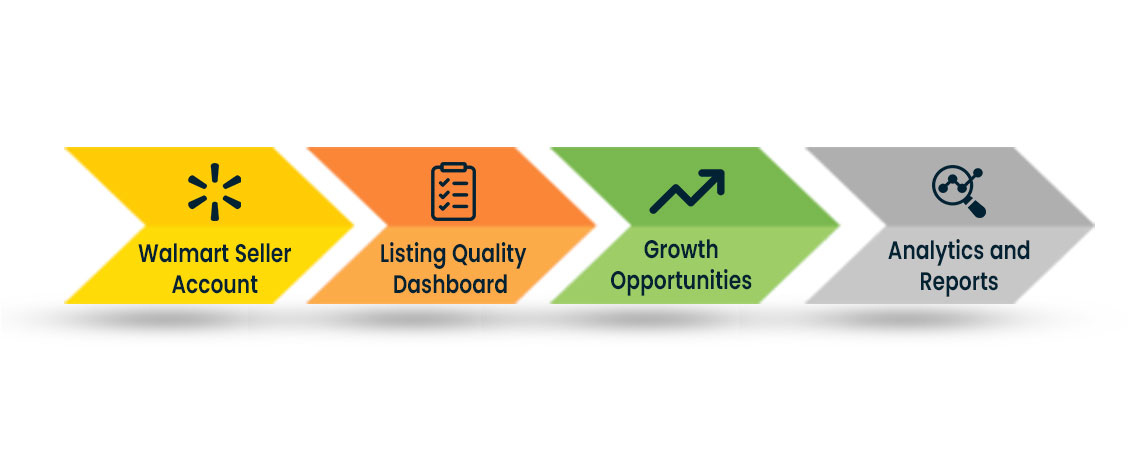
Score can be checked by logging into your account:
Use Sponsored Products to Boost Visibility
Walmart's Sponsored Products is a great way to increase product visibility, especially for new sellers or those launching a new product line. It runs on a Pay-Per-Click (PPC) model, so you only pay when someone clicks your ad, which makes it budget-friendly for new sellers. When I started, I was hesitant to try it, unsure how the budget would work. But as Walmart offers two types of campaigns, Automatic and Manual. I decided to start with an Automatic Campaign. It handled keyword selection and placements for me, which was helpful because I didn't know much about keyword strategies.
As I gained experience, I slowly started to switch to Manual Campaigns to get more control. Initially, I made the mistake of targeting too broad an audience and wasted some budget. But by studying Walmart's ad reports and refining my keywords, I saw better results. Sponsored Products ended up being a powerful tool to not just boost sales, but also build brand awareness without breaking the bank.
Still, if you're not sure where to start or need help polishing your listings and managing day-to-day tasks, consider using Walmart Account Management Services by getting SpectrumBPO on board, and you can see a huge change in your traffic.
Streamline Your Walmart Journey with the Right Service Provider
Selling on Walmart Marketplace offers an incredible opportunity for growth, but crossing the platform requirements is a big task, from optimizing listings and maintaining account health to managing ads and keeping customers satisfied. Many sellers find that balancing all these elements while trying to scale can be overwhelming. That's where experts can make a real difference. You can get SpectrumBPO in the process, which can help streamline your Walmart Seller Account operations, improve listing quality, and increase visibility through targeted strategies. With the right guidance, sellers can focus on growth while leaving the technical and operational details to them.
Share this Post




Blog Categories
Uncategorized

