

Big Changes Coming to Amazon’s Solution Provider Portal (SPP) & What It Means for You
Whether you offer support to Amazon Sellers as an agency, consultant, or freelancer, there is a big change ahead that will alter your access to Seller Central accounts. The Amazon Solution Provider Portal (SPP) will replace external service providers’ traditional secondary user permits.
This denotes that if you run Amazon accounts for customers, you must join the SPP to keep providing your services. Failing to make this transition may lead to you not having access to your customers’ accounts, which would damage your capacity to run their businesses properly.
Let’s examine the significance of this change, why Amazon is doing it, and what particular steps you need to take to stay compliant and keep supporting Amazon sellers before the June 30th deadline.
 What Is Driving Amazon to Change?
Amazon is always improving its systems to increase user accountability, data privacy, and security. Part of a more general initiative meant to see that Amazon seller accounts are only available to verified and legitimate service providers is this move to the Solution Provider Portal (SPP).
Before, secondary user permissions allowed numerous organizations, independent contractors, and consultants access to seller accounts. Still, this technique made it hard for Amazon to track and confirm who was using accounts, hence security hazards and cases of abuse.
Amazon is using SPP as part of a centralized framework whereby all third-party service providers must register, authenticate their identities, and receive official clearance to access seller accounts in order to address these problems.
Initially sending email notifications to chosen users, Amazon has been implementing this transformation incrementally. April 10th was the first compliance deadline, but Amazon pushed it back to June 30th to allow more time for service providers to finish their registration.
Don’t worry if you have not yet gotten an alert; Amazon is carrying out this change gradually and will eventually contact all merchants and service offers. The most important point is that every service provider needs to register with SPP before June 30th to prevent disturbance of their services.
SPP vs. SPN – Understanding the Difference
Some people have been puzzled regarding the Solution Provider Portal (SPP) and the Service Provider Network (SPN). Let us break it down as follows:
SPP (Solution Provider Portal)
Amazon’s latest platform for third-party access to Seller Central accounts is the SPP. Register here if you are a developer, consultant, listing optimizer, PPC manager, or agency to keep working with sellers.
SPN (Network of Service Providers)
Amazon’s platform of authorized service suppliers is the SPN. It enables sellers to locate and engage experts to help with activities, including product listing optimization, Amazon advertising, and account management, amongst others.
Do You Need to Be on Both?
Even if you are already on SPN Amazon , you need to register for SPP. Having SPN does not mean that you are into SPP as well. But if you supply services but are not listed on SPN, you still must sign up for SPP to maintain access to Accounts Seller Central.
SPP deals with account access; SPN considers seller visibility.
What You Need to Do to Stay Compliant
To keep access to Seller Central accounts and deliver services to Amazon vendors, you must finish the SPP registration process. You have to do this:
1. Log in to Seller Central & Access SPP
- Go to solutionproviderportal.amazon.com and log in with your current Amazon account.

- You may move without reregistering if you have already signed up. If not, click Register to initiate the process.

2. Read & Acknowledge Amazon’s SPP Setup Guidance
- You must read and accept the rules for SPP registration provided by Amazon before going ahead.

- This also includes knowing the obligations of an authorized solution provider.
3. Select or Create a Global SPP Account

- Choose yours from the list if you currently have an SPP account.

- Otherwise, create a new account and then follow the configuration steps.
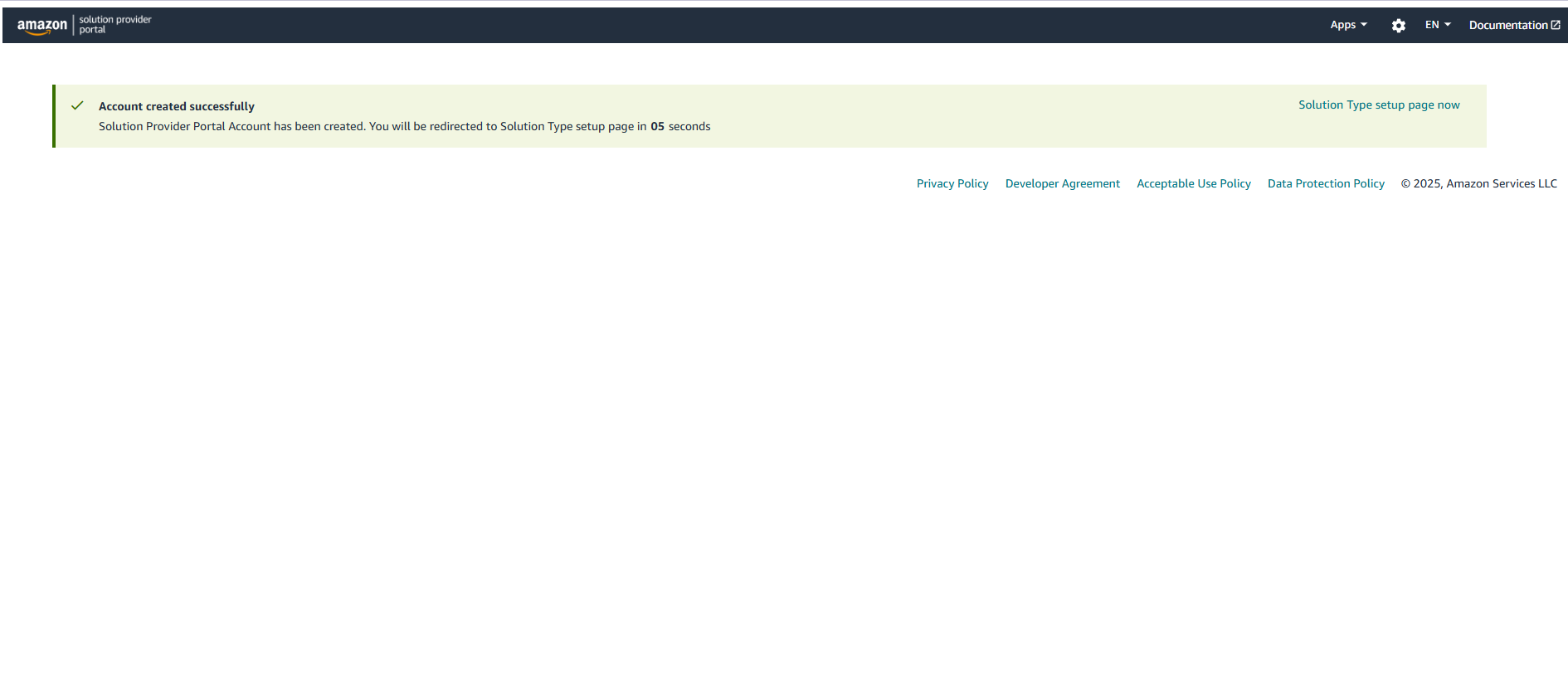
4. Choose Your Solution Type

- You need to tell whether you are basically:
Working on Amazon API apps or directly representing products and services, including PPC management and listing optimization.

- Choose the right category and click Apply.

5. Verify Your Identity & Business Details

- Amazon will need proof of your identification and commercial legitimacy, such as:
-> A valid government-issued ID
-> Recent bank or credit card statements
-> Business license (if applicable)
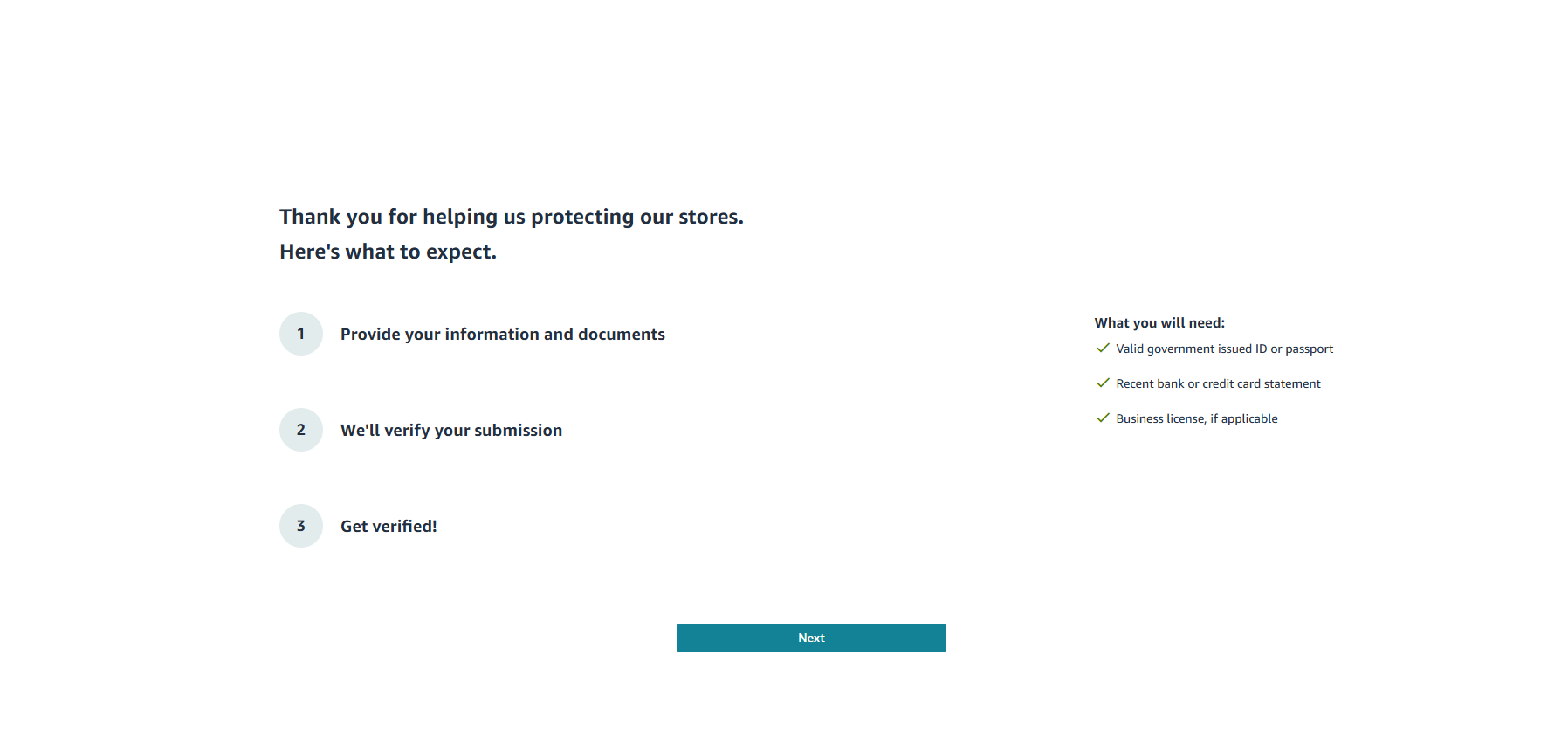
6. Complete Amazon’s Identity Verification Process
- You need to complete three steps of information and submit them for video verification:
- Business Information

- Point of Contact Person Information
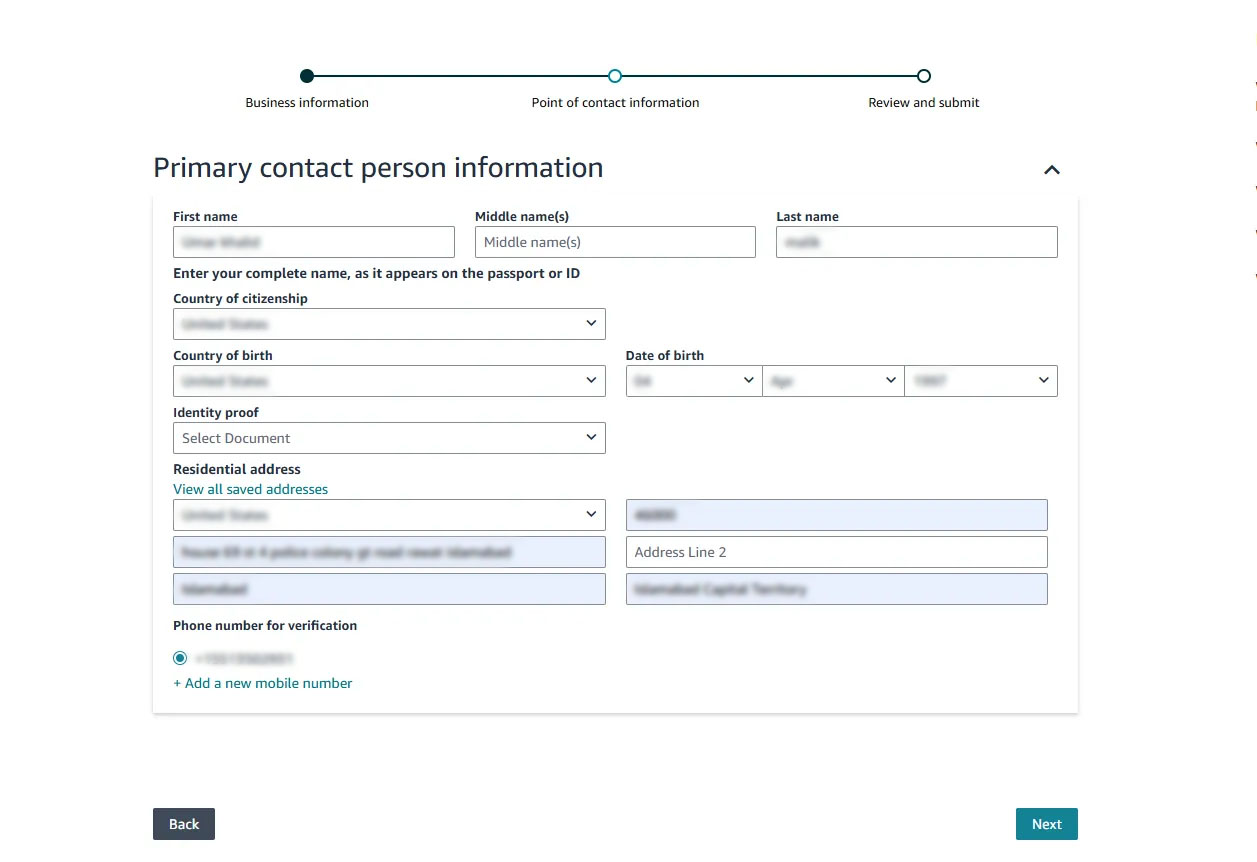
Make sure to add your identity documents as well.
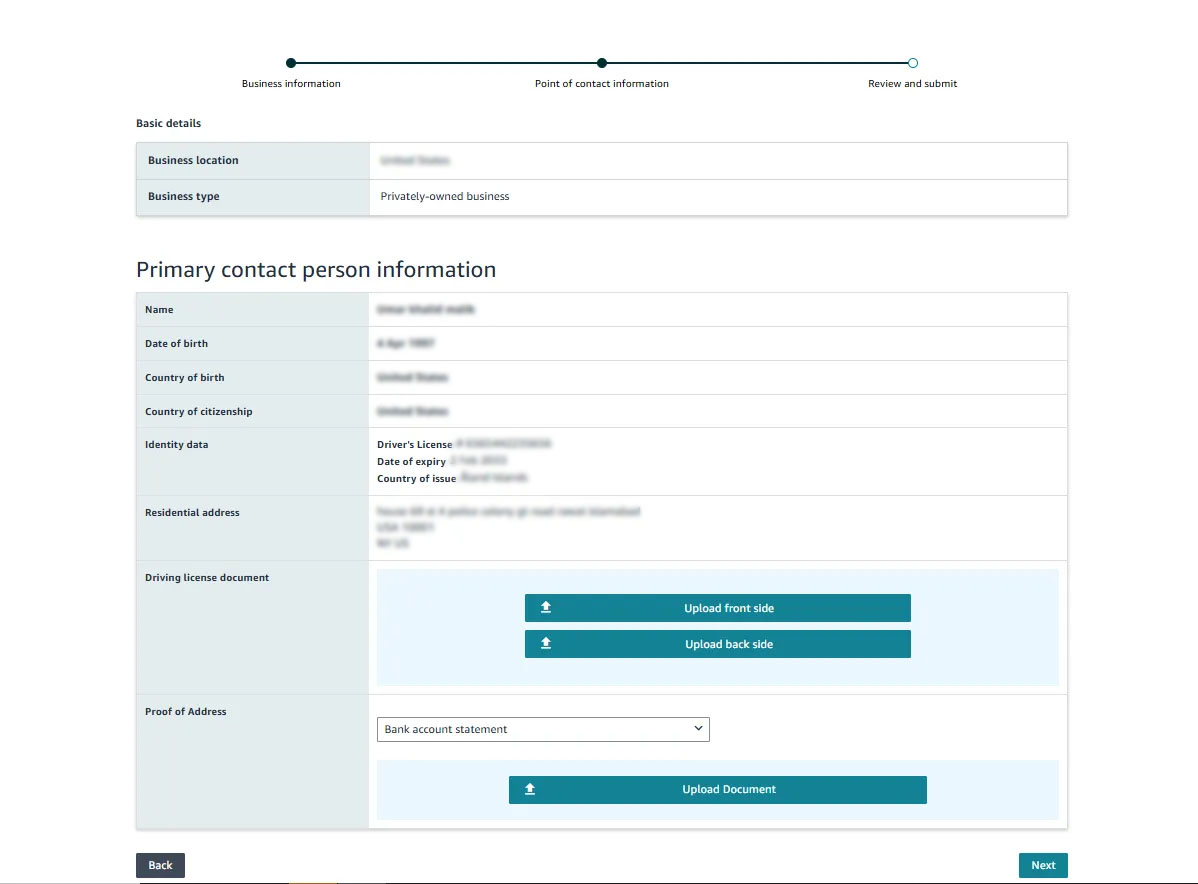
- Review and Submit
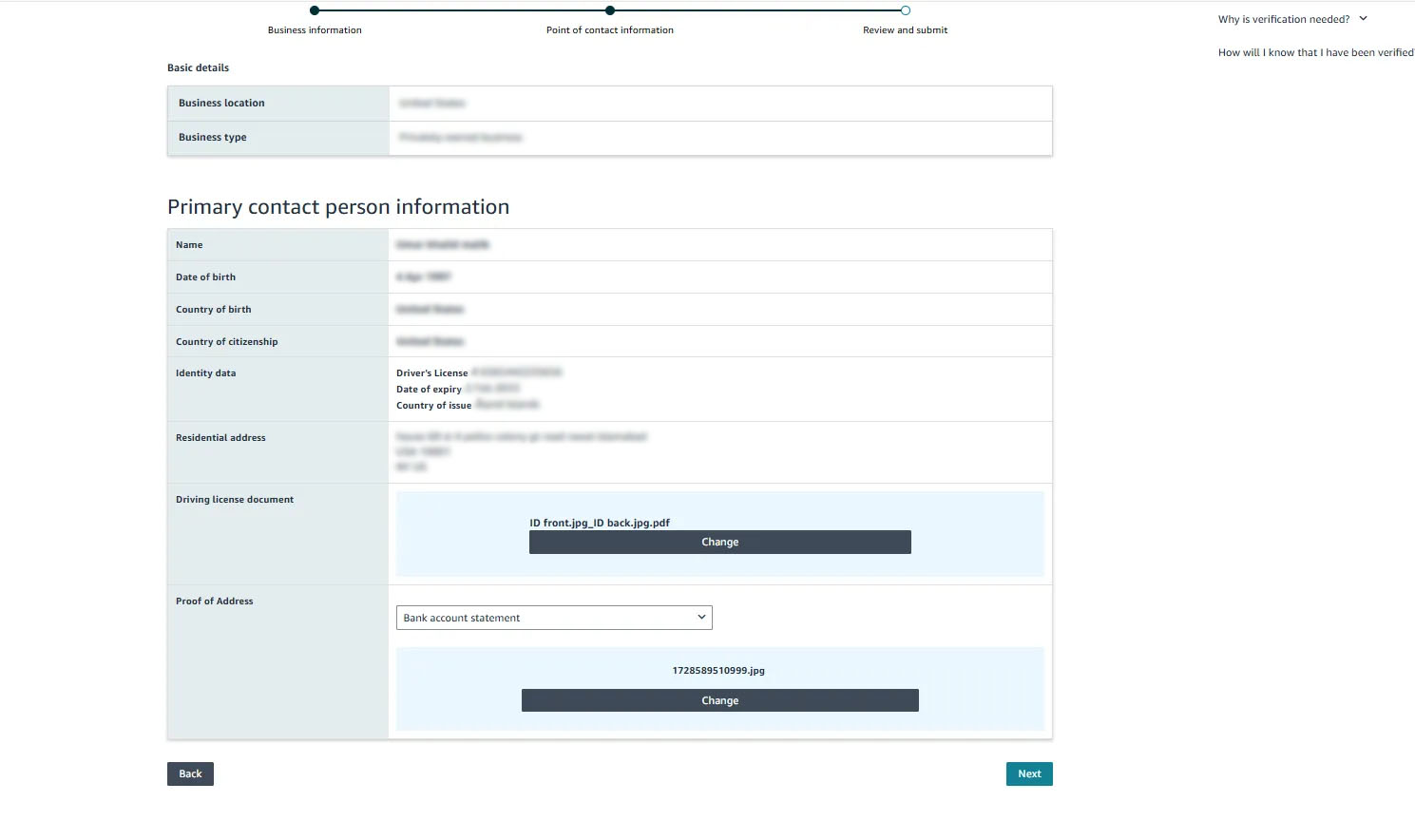
- Amazon will carry out a live video verification where you have to show your documents on screen.

- It guarantees that only legitimate people and companies have access to seller accounts.
Officially being registered in the SPP upon approval will let you keep offering Amazon consulting services without any interruption.
What About Freelancers? How Will This Impact Them?
One of the most important shifts is the impact on freelancing. Before, freelancers could link to seller accounts through secondary user permissions; Amazon now limits this access only to the corporate staff of the seller.
What This Means for Freelancers:
- Register for SPP so that you can keep handling client accounts if you are a self-employed freelancer collaborating with several Amazon sellers.
- Secondary user access will henceforth be restricted to employees of the seller firm.
- To minimize security dangers and unauthorized access, Amazon would like all outside service providers inside SPP to be approved.
Amazon Freelance Consultants will, therefore, have to change their working procedure to make sure they complete the SPP registration to keep continuous client access.
For more Amazon PPC Updates, stay tuned with us!
What Happens If You Try to Bypass This?
Amazon has very clear compliance rules regarding unauthorized account access. Service providers or sellers trying to bypass SPP rules could have their accounts flagged for misappropriation and noncompliance.
Possible Consequences of Non-Compliance:
- Restricted account access: This could block your opportunity to log in and run seller profiles.
- Amazon Account Suspension: Both the consultant and the seller’s accounts could face penalties.
- Loss of Client Trust: Sellers may hesitate to work with nonverified service providers.
Registering for SPP before June 30th and following Amazon’s new rules are essential steps to avoid these problems.
How to Prepare & Stay Ahead
Although Amazon’s move to the Solution Provider Portal (SPP) is a major one, it is designed to finally produce a more secure and efficient setting for vendors and service providers.
Take note of these main aspects:
To avoid last-minute delays, apply for SPP at once.
To keep customer access, freelancers have to register.
Verify your company information and identity so as to meet Amazon rules.
To keep your position as a respected service provider, keep yourself knowledgeable about Amazon’s changes.
We are here to help with any queries on the SPP transition as Spectrum BPO’s services include free consultations, Amazon account audits, and guidance in negotiating these changes.
Check out this video:
Share this Post




Blog Categories
Uncategorized
